On this page
- What a prompt optimizer actually does
- Option 1: Use ChatGPT as its own optimizer
- A worked example
- Option 2: Use a ChatGPT prompt generator or optimizer tool
- Optimizing inside ChatGPT with PromptPal
- Check that the optimized prompt is actually better
- When an optimizer won't help
- A short checklist for any optimized prompt
- Next step
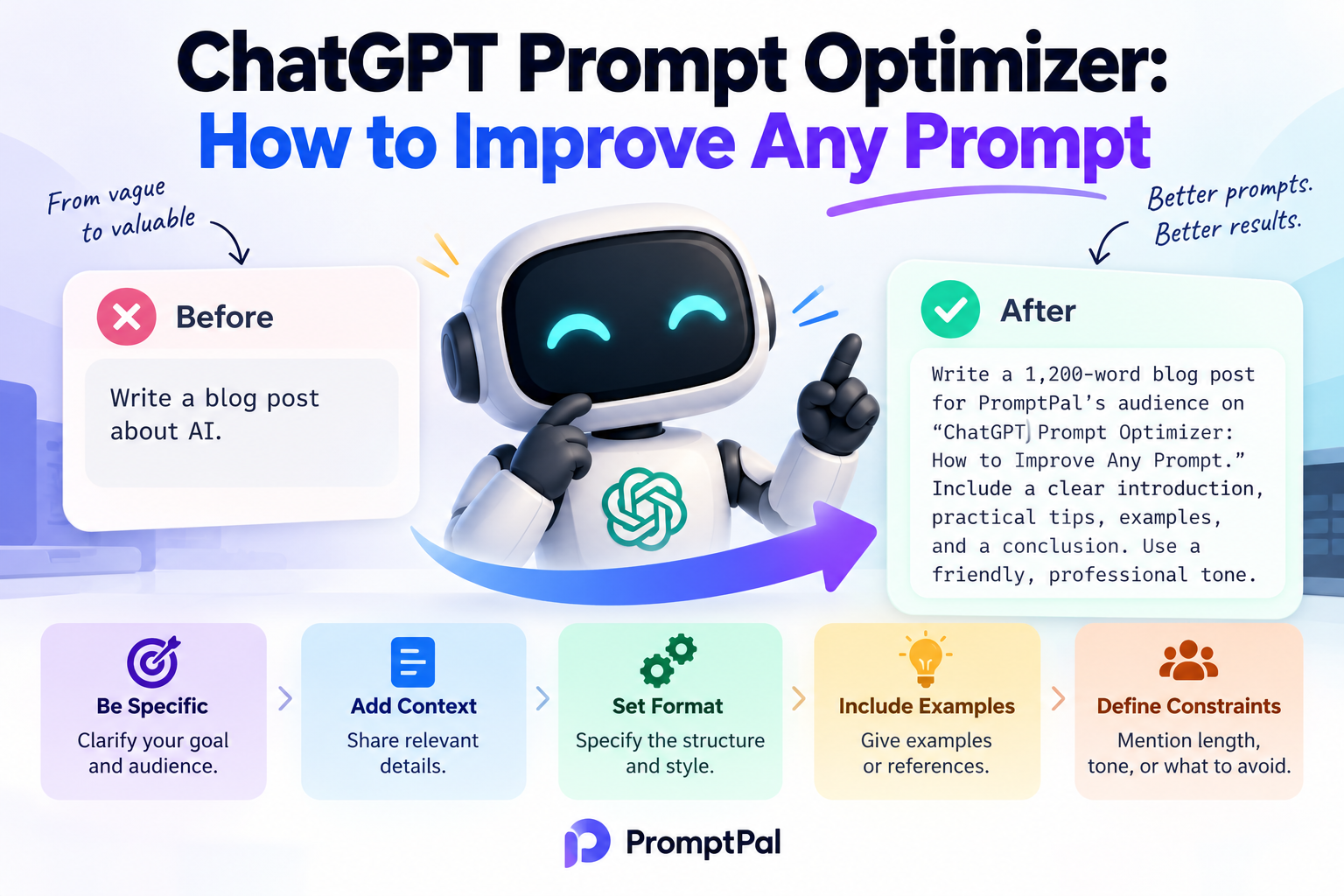
A ChatGPT prompt optimizer takes a rough prompt and rewrites it so the model has what it needs: a role, context, a clear task, constraints and an output format. You can do this with a prompt you paste into ChatGPT itself, or with a tool that does it inline. This post gives you a complete optimizer prompt, a worked example, and a way to keep the results.
What a prompt optimizer actually does
Most weak prompts fail for the same few reasons. They leave out who the output is for, they don't say what "good" looks like, and they bury the real task in a vague sentence. An optimizer fixes those gaps.
It does not make the model smarter. It makes your request less ambiguous. That is why it works on ChatGPT, Claude and Gemini alike, and why the same optimized prompt tends to behave more consistently across them. If you want the longer argument for that, see How to Get Consistent AI Results Across Claude, ChatGPT, and Gemini.
You will see searches for a "ChatGPT 5 prompt optimizer" or a "prompt optimizer for ChatGPT" tied to a specific model version. The method below doesn't depend on the version. How much detail a given model needs does vary, so test the output on the model you actually use rather than assuming.
Option 1: Use ChatGPT as its own optimizer
This is free and takes a minute. You paste your rough prompt into a meta-prompt that asks ChatGPT to find the gaps, ask you questions, and then rewrite.
The key design choice is making it ask questions first. An optimizer that guesses will invent context you never gave it, and the rewritten prompt will sound confident and be wrong.
The optimizer prompt
Copy this as written and replace the placeholder.
You are a prompt editor. Your job is to improve the prompt below so that an AI model gives a more useful answer on the first try.

Here is my draft prompt:
"""
[paste your draft prompt]
"""

Do this in order:
1. List what is missing or ambiguous in the draft: audience, goal, context, constraints, format, tone. Only list items that actually matter for this task.
2. Ask me up to 4 short questions that would fill the most important gaps. Stop and wait for my answers.
3. After I answer, write the improved prompt in a single code block, using [placeholders] for anything I should fill in each time I reuse it.
4. Under the code block, explain in three bullets what you changed and why.

Rules: do not invent facts about my situation. Do not make the prompt longer than it needs to be. Keep my original intent.
The "only list items that matter" line stops it from padding every prompt with a role, a tone and a format whether they help or not.
A worked example
Here is a real kind of task: a cold email. The draft prompt:
Write a cold email to a marketing manager about our analytics tool.
Run that through the optimizer prompt and it will ask something like: What does the tool do in one sentence? What outcome have customers seen? What do you want the reader to do? How long, and what tone?
Suppose you answer: it flags broken tracking tags, the goal is a 15-minute call, keep it under 120 words, friendly but not salesy. The optimizer returns:
You are a B2B copywriter who writes short, plain cold emails.

Write a cold email to [prospect job title] at [company type] about [product name], which [one-sentence description: e.g. flags broken tracking tags before they distort campaign reports].

Goal: get a reply agreeing to a 15-minute call.

Constraints:
- Under 120 words.
- Friendly, direct, no hype words or exclamation marks.
- One specific pain point in the first sentence: [pain point].
- One clear ask at the end.

Output: a subject line (under 8 words) and the email body. Give two variations with different opening lines.
What changed in the answer is easy to see. The original draft produces a generic email that opens with "I hope this finds you well" and lists features. The optimized version opens on the pain point, stays under the word limit, and gives you two openings to choose from. You also now have a template: swap the placeholders and reuse it for the next prospect.
Option 2: Use a ChatGPT prompt generator or optimizer tool
The meta-prompt approach has a cost: you open a new chat, paste, answer questions, copy the result back. For a prompt you'll use once, that is fine. For something you do daily, it gets old.
That is where tools come in. A few kinds exist:
Standalone web optimizers. Paste a prompt, get a rewrite. Quick, but the result lives in a tab you'll close.
Browser extensions. Refine the prompt where you type it, inside ChatGPT. Less copying.
Prompt management platforms. Optimization plus a place to store, version and share what you end up with.
We compare the options in Top 10 AI Prompt Generation Tools in 2026 if you want the full list.
Our view: the optimizer is the easy part. Anyone can get a decent rewrite. What most people lose is the good prompt itself, three weeks later, when they need it again and can't find it.
Optimizing inside ChatGPT with PromptPal
The PromptPal Chrome extension refines a prompt inline, so you don't leave the ChatGPT text box. The Refine agent is the feature behind that kind of improvement. A workflow that works well:
Write your rough prompt in ChatGPT as you normally would. Don't polish it.
Refine it with the extension before sending.
Read the refined version. Check that it kept your intent and didn't add assumptions about your business.
Replace anything generic with real detail, or turn it into a
[placeholder].Send it, and judge the answer.
If the prompt is one you'll use again, save it to your library with a name that says the task, such as "Cold email, B2B, 120 words".
Step 3 matters most. Every optimizer, ours included, can guess wrong about what you meant. Treat the rewrite as a draft from a fast junior colleague, not a finished product.
Check that the optimized prompt is actually better
A longer prompt isn't a better prompt. Run a quick comparison before you commit to the new version.
Run the original and the optimized prompt on the same input.
Score both against three things you care about for that task, for example: length, tone, and whether it includes the specific pain point.
Keep the optimized version only if it wins on at least two, and doesn't lose on the third.
The prompt playground is useful for this kind of side-by-side check. If a prompt will be used by a team or inside a product, keep each revision so you can go back when a change makes things worse. That is what prompt version control is for.
When an optimizer won't help
Skip it in these cases:
The task is trivial. "Convert this list to alphabetical order" doesn't need a role and an output spec.
You haven't decided what you want. An optimizer polishes a vague goal into a polished vague goal. Write one sentence on the outcome first.
The problem is missing information. If the model needs your product docs, a style guide or a data table, no rewording fixes it. Give it the material. This is the difference between prompting and context, covered in Context Engineering Is Not Prompt Engineering.
Also be wary of optimizers that add a long list of rules to every prompt. More constraints means more ways for the model to trip over them, and you'll get stiff, over-formatted answers.
A short checklist for any optimized prompt
Before you save or reuse a rewritten prompt, check:
The task is stated in the first or second sentence.
The audience and purpose are clear.
Any limit (length, tone, format) is specific, such as "under 120 words", not "short".
Variable parts are
[placeholders], not hard-coded examples.Nothing in it is a fact about you that you didn't supply.
If you want a ready starting point for a specific role, the public prompt library has templates by role and task that you can adapt rather than build from nothing.
Next step
Pick the one prompt you rewrite most often, optimize it with the template above, and save the result so you stop rebuilding it. You can store and organise it in the PromptPal prompt library.
Stay Updated
Get the latest blog posts and AI prompt engineering tips delivered to your inbox.